You work from a corner of the bedroom, or from the dining table after dinner. By evening your eyes ache and the laptop screen shows the tube light above you. A good home office setup fixes most of that with one desk, one chair and the right light in the right place.
Below you will find the numbers that matter: how much light lands on your desk, where the screen and window go, and where the lamp should sit. Every number comes from a standard or a health body.
The short answer
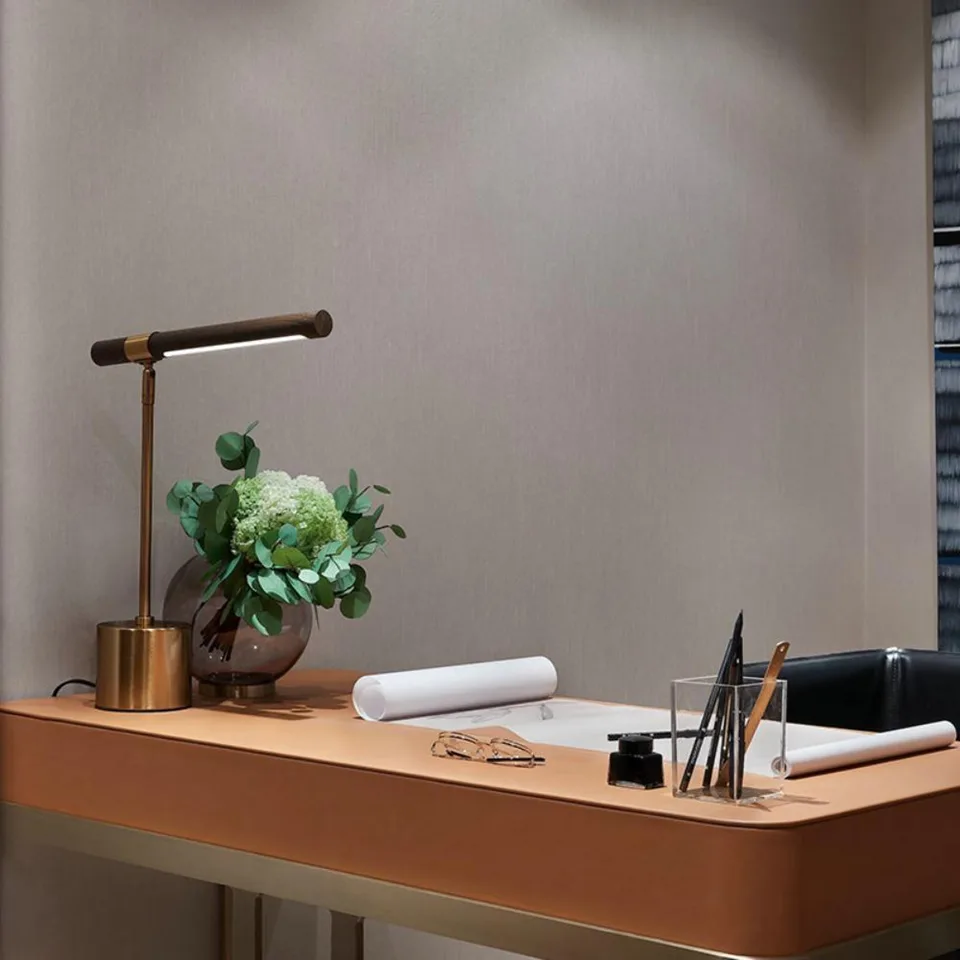
Aim for about 500 lux on the desk, keep the screen 50–100 cm away at or below eye level, and turn the desk so the window is to your side. Add a desk lamp on the side away from your writing hand, and keep a soft room light on too. On a 120 × 60 cm desk, 500 lux means about 360 lumens landing on the top. Good table lamps make that easy without bright ceiling glare. On a narrow desk, a mini table lamp 53 cm tall takes less room.
Home office setup: the light and layout numbers
India’s lighting code, IS 3646 Part 1 from the Bureau of Indian Standards, gives 300–500–750 lux for computer work stations. The code says the middle value, 500 lux, is the one to use in most rooms. Lux is the light that lands on one square metre, so it tells you how bright the desk looks.
The European standard EN 12464-1, as listed by DIALux, also sets 500 lux for writing, typing, reading and data processing. OSHA, the US workplace safety body, adds three placement rules. Set the screen at right angles to the window. Keep its top line at or below eye level. Sit 50–100 cm from it.
| Work from home setup item | The number | Source |
|---|---|---|
| Light on the desk | 300–500–750 lux (500 recommended) | IS 3646 Part 1 |
| Screen distance | 50–100 cm | OSHA |
| Screen height | 15–20° below eye level | American Optometric Association |
| Desk height | 29–30 in (74–76 cm) | University of Pennsylvania EHRS |
| Eye breaks | every 20 min, 20 s, look 20 ft away | American Optometric Association |
The American Academy of Ophthalmology puts the screen at about 25 inches, roughly arm’s length. The Academy also says to match screen brightness to the room around you, which brings us to the room light.
How much light does a work from home desk setup need?
Take a common desk of 120 × 60 cm and the 500 lux target. Work through the sum.
- Desk area: 1.2 m × 0.6 m = 0.72 m².
- Light needed on the desk: 0.72 × 500 = 360 lumens. A lumen is the total light a source gives out, like litres of water from a tap.
- Range check: at 300 lux the desk needs 216 lumens, and at 750 lux it needs 540 lumens.
- Room light: IS 3646 asks that the surroundings get at least 1/3 of the task brightness. 500 ÷ 3 = about 167 lux around the desk.
- Far walls: the code asks for at least 1/10 in the wider view. 500 ÷ 10 = 50 lux.
The 1/3 and 1/10 rules are about luminance, the brightness the eye sees. Lux is a fair stand-in when the desk and walls are similar in colour. We also counted our own range. On 1 Nov 2026, our desk lamps numbered 11. Four have a built-in 3000K LED, seven take a bulb, and three have an arm or a head that tilts to aim the light.
Why the lamp, screen and window go where they do
Each rule follows from how the eye handles bright spots. The screen glows. A window behind the screen glows more. The eye keeps adjusting between the two, and that constant adjusting tires it. OSHA warns that bright light behind the screen makes the work hard to see.
The Lighting Research Center names two kinds of glare. Discomfort glare is the annoyance from a bright source in view, like an oncoming car’s headlights. Disability glare is light scattered inside the eye, which lowers contrast, like a fogged windscreen. A screen adds a third problem. IS 3646 calls it a veiling reflection: a bright patch mirrored on the screen that washes out the text.
The fixes follow the chain. Turn the desk so the window is at your side, and its light never lands straight on the screen or in your eyes. Tilt the screen slightly down, as OSHA suggests, so the ceiling light does not reflect in it. Place the lamp on the side away from your writing hand, so your hand never shadows the page.
Distance changes everything for a lamp. Light spreads as it travels, so the light on a surface falls with the square of the distance. DIALux puts it plainly: double the distance and the light drops to a quarter. A lamp head at 40 cm gives about four times the light of the same head at 80 cm. A nearby lamp with a modest LED therefore beats a strong ceiling light far above.
Colour matters at night. The US Department of Energy calls 2700–3000K warm, like a candle or sunset, and 3600–5500K cool. Warm light suits evening work in a home, and keeps the desk part of a calm room.
The JagMag way: a lamp made to stay on your desk
Nature gives the material. Human hands shape it. Light connects the work to the room. A desk lamp sits a hand’s width from you for hours, so its material should feel good to touch and look at.
Our wood-bar desk lamp is 74 cm tall, with a 40.6 cm bar of real wood that holds a built-in 8W, 3000K LED. The bar tilts on a swivel, and its length spreads light across a laptop and a notebook side by side. Real wood means the grain changes from lamp to lamp.
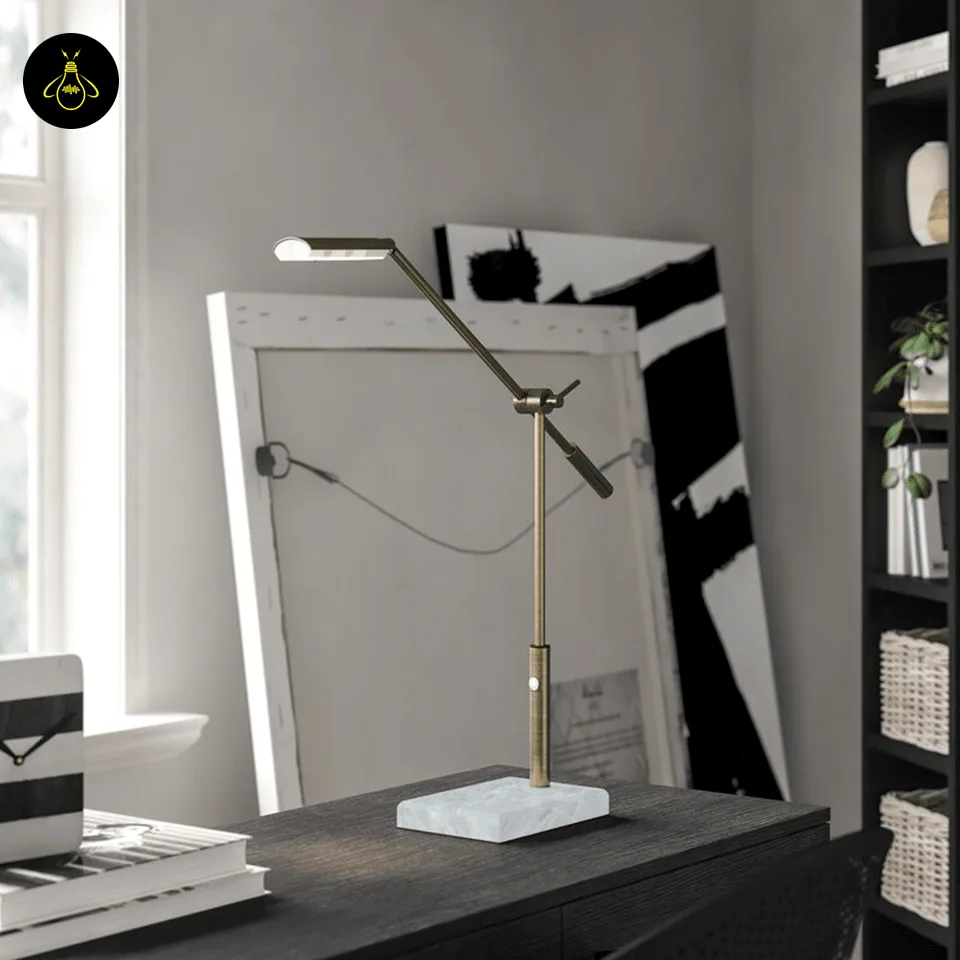
The antique brass desk lamp stands on a base of real white marble, cut and polished by hand, so the grey veins differ on every lamp. The lamp adjusts from 41 to 66 cm, its arm reaches up to 56 cm, and its built-in LED is 3000K warm white.
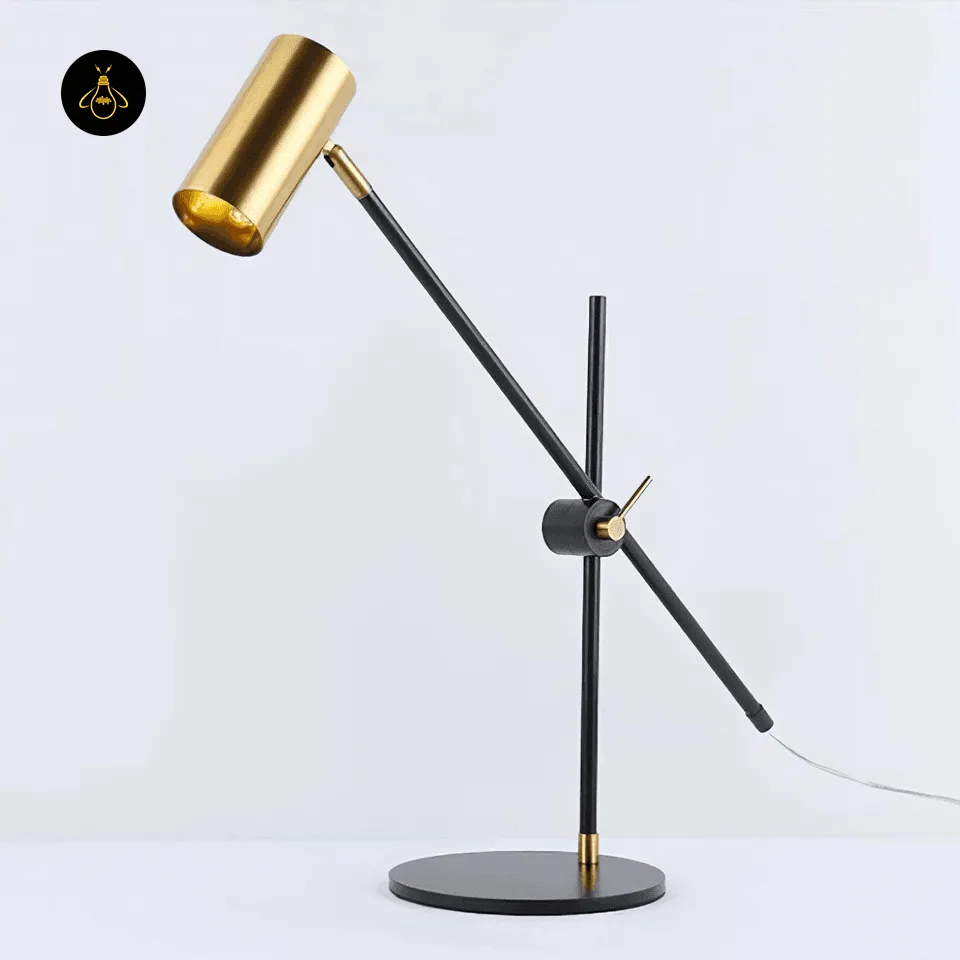
For a deep desk, the adjustable balance-arm lamp reaches up to 60 cm. Each arm is balanced by hand, so it stays where you set it. The lamp takes one GU10 bulb, not included; fit a 3000K warm-white LED.
Every metal part is 304-grade stainless steel with a lifetime warranty against rust, as our legal policies explain. Our craftsmen make each lamp in our own factory in India, since 2015, with free shipping across India. Vastu thinking favours a calm, well-lit place for work, and warm light on natural stone or wood fits that idea well.
FAQs
What is the best home office setup for eye comfort?
Light the desk to about 500 lux, keep the screen 50–100 cm away, and turn the window to your side. Follow the 20-20-20 rule: every 20 minutes, look 20 feet away for 20 seconds.
Where should a desk lamp be placed?
Place the lamp on the side opposite your writing hand, with the head above eye level. Your hand then never shadows the page, and the bulb stays out of view.
Should the window be in front of or behind my computer?
Neither; put the window at your side. OSHA says to set the screen at right angles to windows, because bright light behind the screen hurts contrast.
What colour light is best for home office lighting?
Warm white at 2700–3000K suits evening work at home. The US Department of Energy calls that range warm and 3600–5500K cool.
How many lumens do I need on a study or office desk?
About 360 lumens on a 120 × 60 cm desk. Multiply 0.72 m² by the 500 lux that IS 3646 recommends.
Nature gives the material.
Human hands give it meaning.
Vastu inspires harmony.
Light brings it to life.
That is JagMag.
See our desk lamps, then read which light is good for eyes while studying or how many lumens you need for reading. Not sure? Video-call us.
Sources
- BIS, IS 3646 (Part 1): 1992, Code of practice for interior illumination (read 1 Nov 2026)
- DIALux, Standard values for office interiors (EN 12464-1) (read 1 Nov 2026)
- OSHA, Computer workstations: workstation environment (read 1 Nov 2026)
- OSHA, Computer workstations: monitors (read 1 Nov 2026)
- American Optometric Association, Computer vision syndrome (read 1 Nov 2026)
- American Academy of Ophthalmology, Computers, digital devices and eye strain (read 1 Nov 2026)
- University of Pennsylvania EHRS, Selecting office furniture (read 1 Nov 2026)
- Lighting Research Center, Basic glare definitions and terminology (read 1 Nov 2026)
- DIALux, Inverse square law (read 1 Nov 2026)
- US Department of Energy, Lighting principles and terms (read 1 Nov 2026)